> For the complete documentation index, see [llms.txt](https://docs.aiflo.app/llms.txt). Markdown versions of documentation pages are available by appending `.md` to page URLs; this page is available as [Markdown](https://docs.aiflo.app/recruitment-and-ats/publish-job-post-to-vendors.md).
# Publish Job Post to Vendors
### How to Publish a Job Post to Vendors
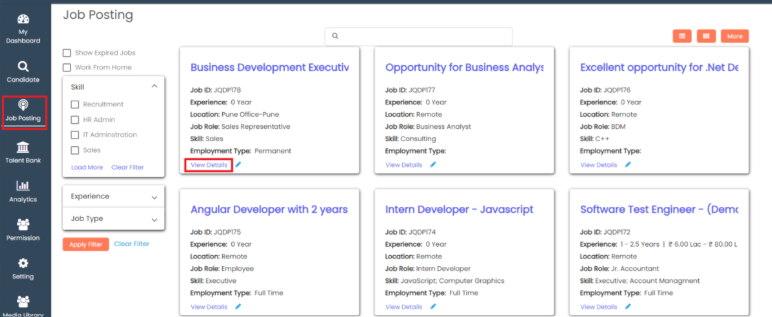
Go to **Recruitment** >> Click on **Job Posting** >> Click on **View Details**.
Go to the **Details** tab.
Scroll down and go to **Publish to Vendor**.
Click on **+Vendor**.
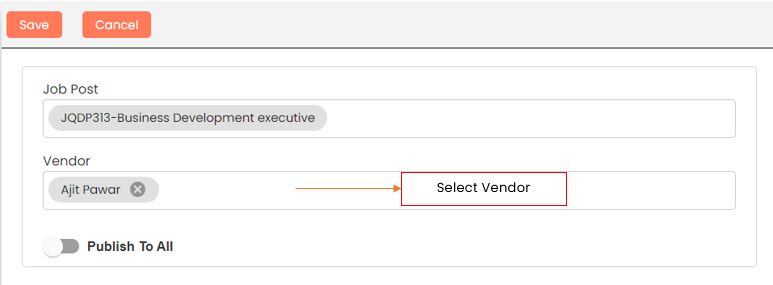
Specify the vendor name if the job post is shown to an individual vendor. Click on **Save**.
Enable the **Publish to All** key if the job post should be shown to all vendors, then click on **Save**.
After saving, the form record will show in the grid.
### The recruiter can see their own vendors' list in **My Dashboard**.
Go to **My Dashboard**, then go to **My Vendor**.
Last updated 23 December 2025