# Route

### Add Route <a href="#add-route" id="add-route"></a>

In Route, the admin can add routes to which the sales agent has access.

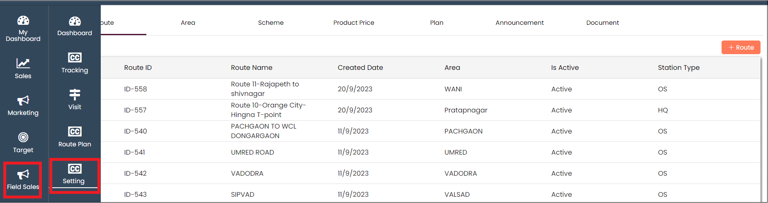
In **CRM**, Select **Field Sales** and click on **Setting**

<figure><img src="https://content.gitbook.com/content/mK2RCoJJtarg5gUVoIgX/blobs/OPfkRLu6LLk6dmbYoJZP/image.png" alt=""><figcaption></figcaption></figure>

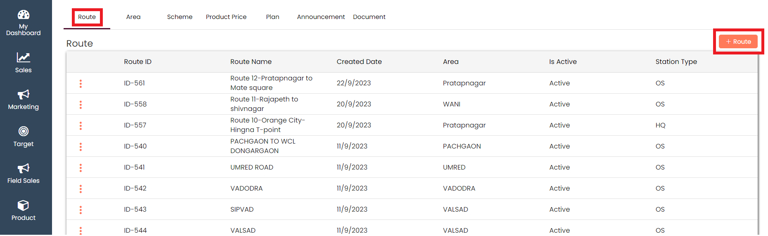
On the setting, select the **Route** and click on **+Route** to add a new area for a site visit

<figure><img src="https://content.gitbook.com/content/mK2RCoJJtarg5gUVoIgX/blobs/5d5u2gps8neOjuf2X4kb/image.png" alt=""><figcaption></figcaption></figure>

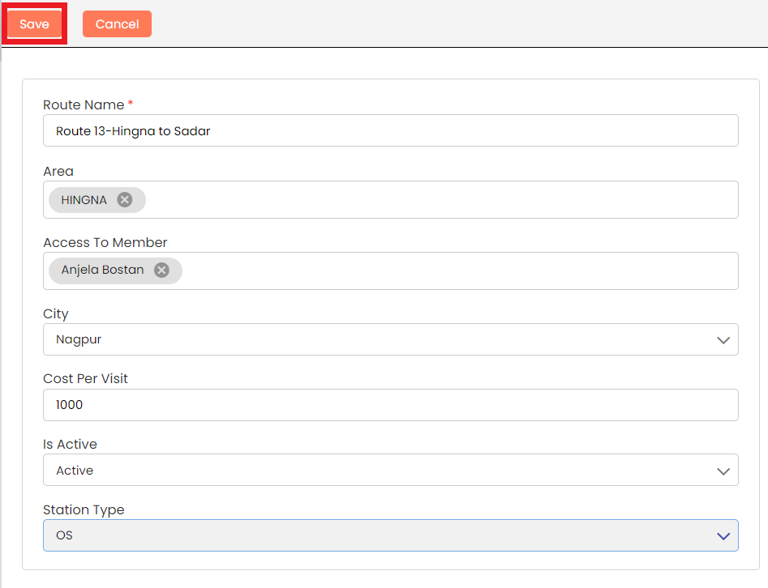
Add all the details and **Save**

<figure><img src="https://content.gitbook.com/content/mK2RCoJJtarg5gUVoIgX/blobs/hlZitJc9SNolOJFpJl3N/image.png" alt=""><figcaption></figcaption></figure>

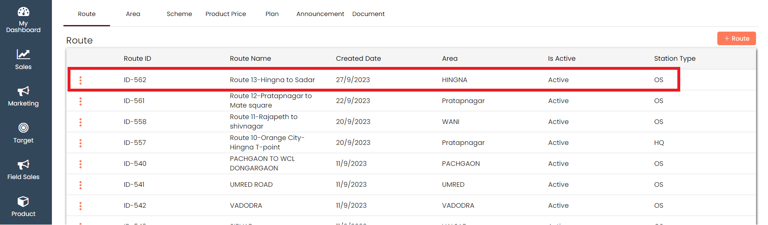
A new **Route** will be added at the top

<figure><img src="https://content.gitbook.com/content/mK2RCoJJtarg5gUVoIgX/blobs/ax6L7uaL40RV8JTWJXZT/image.png" alt=""><figcaption></figcaption></figure>

### View Route <a href="#view-route" id="view-route"></a>

You can choose to view the route that you have added

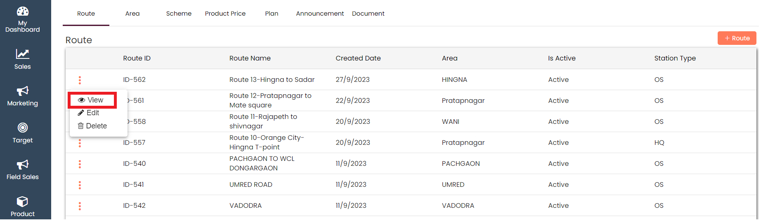
In the **Route,** click on the Actions (3 vertical dots) and select the **View** button

<figure><img src="https://content.gitbook.com/content/mK2RCoJJtarg5gUVoIgX/blobs/GycW0tGCnpEdK9NWaxnD/image.png" alt=""><figcaption></figcaption></figure>

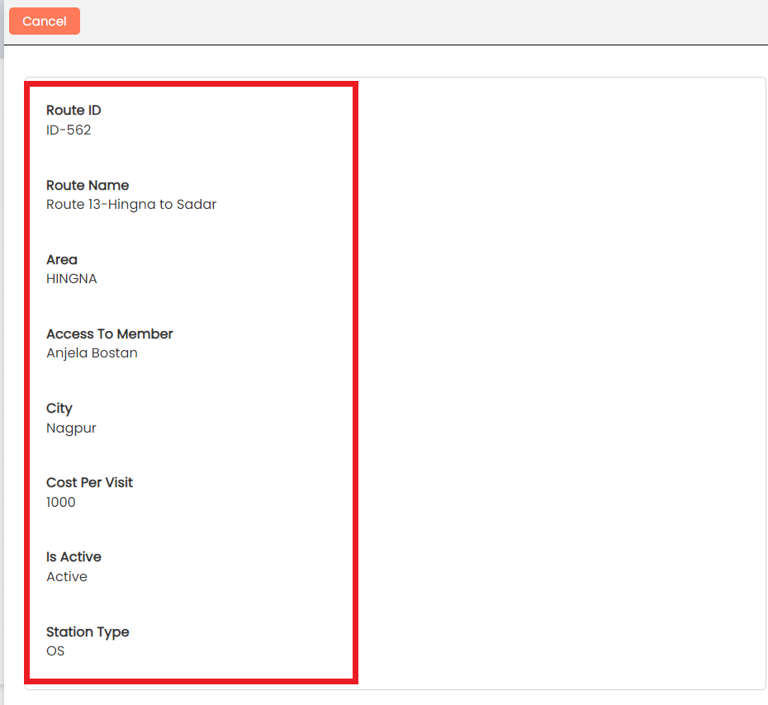
You can view all the details of the added route

<figure><img src="https://content.gitbook.com/content/mK2RCoJJtarg5gUVoIgX/blobs/gRrDeGsoAnxWsjPsSczO/image.png" alt=""><figcaption></figcaption></figure>

### Edit Route <a href="#edit-route" id="edit-route"></a>

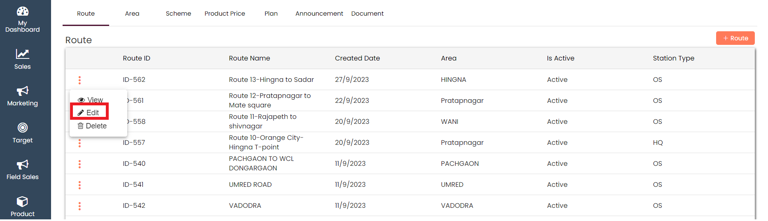
In the **Route,** click on the Actions (3 vertical dots) and select the **Edit** button

<figure><img src="https://content.gitbook.com/content/mK2RCoJJtarg5gUVoIgX/blobs/EQW4mK6XaF9T0u40wZtQ/image.png" alt=""><figcaption></figcaption></figure>

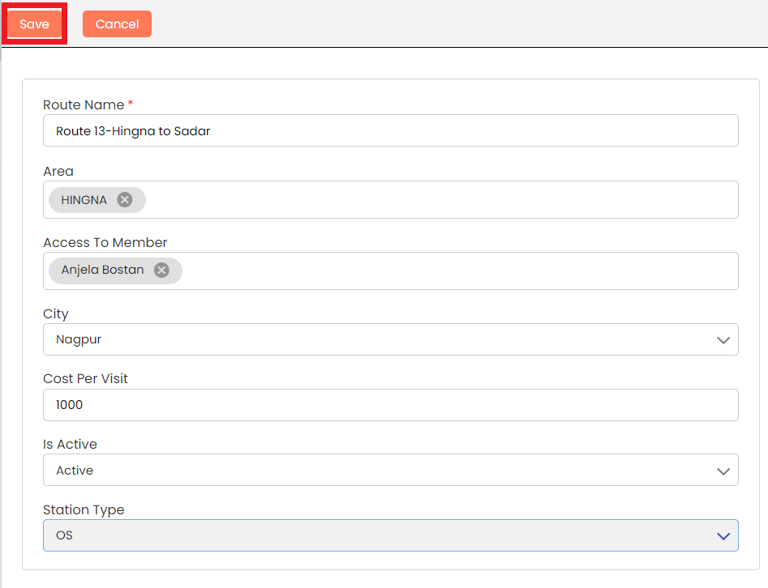
Edit the route details and **Save**

<figure><img src="https://content.gitbook.com/content/mK2RCoJJtarg5gUVoIgX/blobs/GzKn5UtpzhkQaTgv7vAY/image.png" alt=""><figcaption></figcaption></figure>

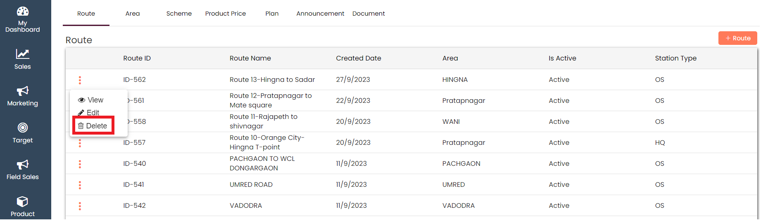
### Delete Route <a href="#delete-route" id="delete-route"></a>

In the **Route,** click on the Actions (3 vertical dots) and select the **Delete** button

<figure><img src="https://content.gitbook.com/content/mK2RCoJJtarg5gUVoIgX/blobs/BdKW8u8oFeZoNq32gHEI/image.png" alt=""><figcaption></figcaption></figure>

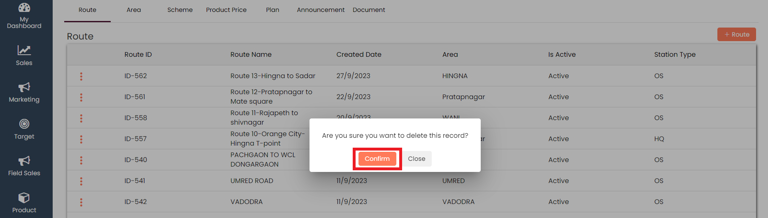
Give your confirmation in the **popup** and the route will be deleted

<figure><img src="https://content.gitbook.com/content/mK2RCoJJtarg5gUVoIgX/blobs/9Xfv7meZ5NTPQLxmNCfi/image.png" alt=""><figcaption></figcaption></figure>

Last updated 10 months ago